Putting the barcode into b2bdev.
I reviewed b2bdev.pathpep.com and rendered the component into its real footer before
writing any of this. The short version: it is a drop-in replacement for an asset you already ship, it
needs no new fonts, no JavaScript, and no new dependencies — and the one real decision is a CMS one, not a
code one.
The stack, as measured.
| Layer | What is there |
|---|---|
| Framework | Next.js, App Router. Route groups in the chunk names —
app/(auth)/sign-in/[[...sign-in]]. The component is a Server Component, so it adds nothing to the
client bundle. |
| Styling | Tailwind v3 (--tw-* vars in the bundle) over a
161 KB stylesheet, plus the full Medusa UI token set — --bg-base,
--fg-subtle, --button-inverted, --tag-*. |
| Auth | Clerk — clerk-js@6.30.1, @clerk/ui@1.30.8. |
| Content | Payload CMS, media served from cmsdev.pathpep.com/api/media/file/…
— this is the bit that matters below. |
| Fonts | Self-hosted from /fonts/: PP Mori variable, Hauora, and
Geist Mono at /fonts/Geist_Mono/GeistMono-VariableFont_wght.woff2. |
| Edge | Cloudflare in front; marker.io feedback widget loaded on the page. |
font-family: Geist Mono — the exact name the component asks for first. Nothing to add, nothing to
preload, no layout shift. That was the one dependency that could have made this awkward.positive-fawn-75.clerk.accounts.dev) — fine for dev, but it is not a
production key. And container-type appears zero times in the current bundle, so this
component would be the first container query on the site; it is self-contained, but it is a new primitive for
whoever maintains the CSS.The barcode is already on the page.
It is in the footer, to the right of the rotated ~path wordmark. Both are baked into
one flat SVG — Frame 2085660839.svg, 182 × 210, uploaded to Payload and rendered
as a plain <img>:
<a class="shrink-0 text-lg font-semibold tracking-tight text-white" href="/">
  <img
    alt="Path Footer Logo"
    loading="lazy"
    width={182}
    height={210}
    className="h-[210px] w-[182px] max-w-none object-contain"
    src="https://cmsdev.pathpep.com/api/media/file/Frame%202085660839.svg"
  />
</a>
Inside that lockup the wordmark occupies x 16–64 and the barcode x 86–183, both running the full 210 px height. So this is not a question of finding somewhere to put the component. It is a question of splitting one asset in two and letting the barcode half come alive.
I already ran the swap on your live footer.
Loaded the real page, removed the barcode paths from the lockup, dropped the component in beside the remaining wordmark. No other changes. This is your footer:
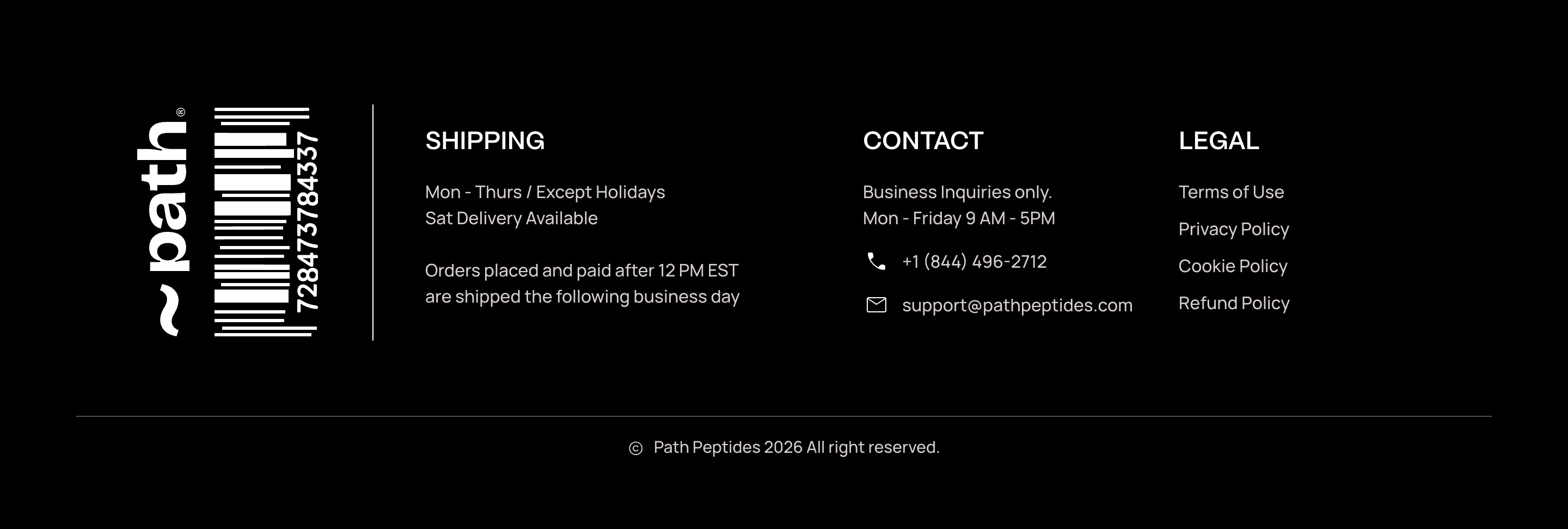
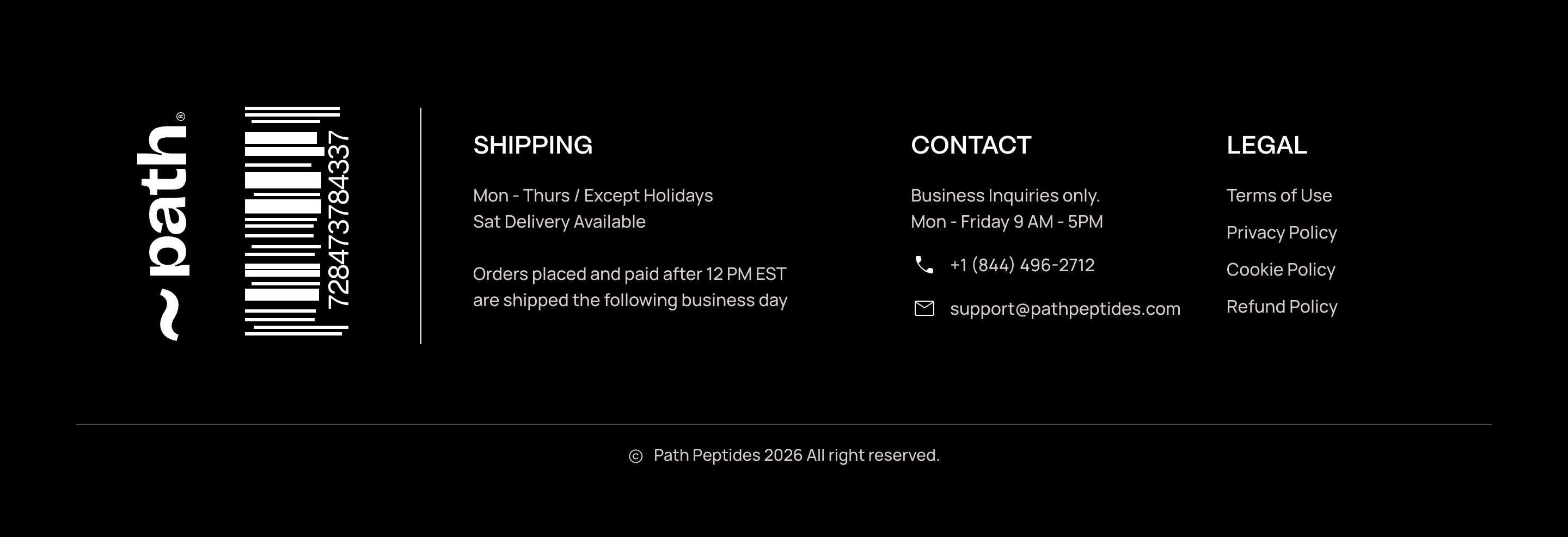
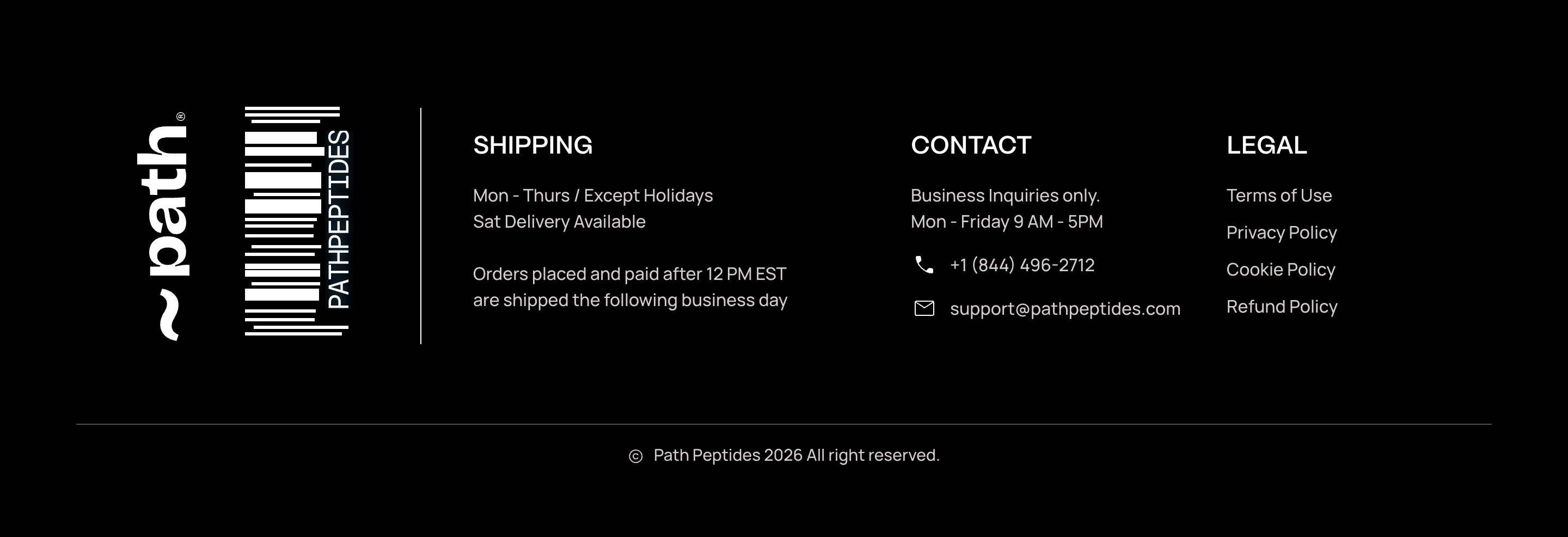
The placement earns the easter egg: the barcode sits directly beside the
~path wordmark, so scanning it completes the name. That is a better joke in the footer than it
would be anywhere else on the site.

Live, on this page, at the exact footer size — wordmark SVG on the left, component on the right. Move your cursor anywhere in this panel — it decodes once, then puts the number back.
Two files, no dependencies.
1 · components/Barcode/barcode.css
Plain CSS, imported by the component. Not a CSS Module — see the gotcha below.
/* ── PATH barcode ────────────────────────────────────────────────────
   Pure CSS. No images, no SVG, no JS.
   Size it by setting a width (or height) on .barcode — everything
   inside is a percentage, so it scales to any box.
   Recolour with --bar-ink / --bar-bg / --bar-beam.

   The box is the full 252×486 artwork including its quiet zones, so
   nothing sits flush to an edge and nothing gets clipped.

   Hover (or focus) runs a scanner beam along the code, decodes the
   number behind it, holds it for a beat, then puts the number back.
   Two text layers share one masked boundary, so they can never drift
   apart.                                                              */

@property --s {syntax:'<percentage>';initial-value:-45%;inherits:true}
@property --bo{syntax:'<number>';    initial-value:0;    inherits:true}

/* One shot, start to finish: the beam sweeps up decoding, the name is
   held for a beat, then the beam sweeps back down re-encoding, and the
   number is left exactly as it was found. Two passes of one light.
   0–33.3% up (1.00s)  33.3–71.7% hold (1.15s)  71.7–100% back (0.85s)
   Both passes are linear, so the light keeps a constant speed and the
   return reads as a deliberate second sweep, not a rewind.            */
@keyframes bar-scan{
  0%     {--s:-45%; --bo:0}
  1.5%   {--bo:1}
  33.3%  {--s:140%; --bo:1}
  36%    {--bo:0}
  71.7%  {--s:140%; --bo:0}
  73.2%  {--bo:1}
  98.5%  {--bo:1}
  100%   {--s:-45%; --bo:0}
}

.barcode{
  --bar-ink:#fff;
  --bar-bg:#000;
  --bar-beam:#4fb3ff;
  --bar-blend:screen;      /* use multiply on a light --bar-bg         */
  --bar-size:20.319cqw;    /* digit cap-height, tuned to the source    */
  --bar-track:-0.06143em;  /* condenses the run to the measured strip  */
  --bar-lift:0.794cqw;     /* ink sits high in the em box; push it down*/
  position:relative;
  container-type:size;
  aspect-ratio:252/486;
  background:var(--bar-bg);
  overflow:hidden;
}

/* A) on its own — hovering the code runs the shot; it may run again.   */
.barcode:has(b.dec):hover:not([data-barcode-scan] *),
.barcode:has(b.dec):focus-visible:not([data-barcode-scan] *){
  animation:bar-scan 3000ms linear 1 forwards;
}

/* B) armed to a region — put data-barcode-scan on any ancestor (a
   footer, a card, a hero) and entering ANYWHERE in it runs the shot.

   Two rules declare the SAME animation. Hover alone is the no-JS
   baseline: leave early and the shot is cancelled, so the code snaps
   back to the number rather than stranding half-decoded.

   Add the .barcode-scanned class (three lines of JS below) and the
   shot survives the cursor leaving and plays out once per page load.
   Because both rules resolve to an identical animation value, adding
   or dropping :hover never restarts it.

     for (const el of document.querySelectorAll('[data-barcode-scan]'))
       for (const ev of ['pointerenter','focusin'])
         el.addEventListener(ev,
           () => el.classList.add('barcode-scanned'), {once:true})

   A pure-CSS latch is not possible here: CSS ignores animated custom
   property values when resolving animation-* properties, so an
   animation cannot arm another one.                                   */
[data-barcode-scan]:hover            .barcode:has(b.dec),
[data-barcode-scan]:focus-within     .barcode:has(b.dec),
[data-barcode-scan].barcode-scanned  .barcode:has(b.dec){
  animation:bar-scan 3000ms linear 1 forwards;
}

.barcode i{
  position:absolute;
  background:var(--bar-ink);
  top:calc(var(--t)*1%); height:calc(var(--h)*1%);
  left:calc(var(--l)*1%); width:calc(var(--w)*1%);
}

.barcode b{
  position:absolute; right:8.730%; top:13.786%; height:67.490%;
  display:flex; align-items:center; justify-content:center;
  writing-mode:vertical-rl;              /* +180° below = glyphs 90°ccw, */
  rotate:0deg;                           /* reading bottom-to-top        */
  transform:translateY(var(--bar-lift)) rotate(180deg);
  font:400 var(--bar-size)/1 'Geist Mono',ui-monospace,'SF Mono',Menlo,monospace;
  letter-spacing:var(--bar-track);
  color:var(--bar-ink);
  font-variant-numeric:tabular-nums;
  user-select:all;
}
/* the wipe. Local top = page bottom after the 180° turn, so the reveal
   runs bottom-to-top, the same direction the code reads.              */
.barcode b.enc{
  -webkit-mask-image:linear-gradient(to bottom,transparent 0,transparent calc(var(--s) - 1.5%),#000 var(--s));
          mask-image:linear-gradient(to bottom,transparent 0,transparent calc(var(--s) - 1.5%),#000 var(--s));
}
.barcode b.dec{
  -webkit-mask-image:linear-gradient(to bottom,#000 0,#000 calc(var(--s) - 1.5%),transparent var(--s));
          mask-image:linear-gradient(to bottom,#000 0,#000 calc(var(--s) - 1.5%),transparent var(--s));
  text-shadow:0 0 9px color-mix(in srgb,var(--bar-beam) 45%,transparent);
}

/* the beam. Both halves read the same --s, so the light and the wipe
   boundary are the same line by construction — on the way up and on
   the way back. --bo only hides it during the hold and off-box.       */
.barcode u{position:absolute;inset:0;z-index:3;pointer-events:none;text-decoration:none;opacity:var(--bo)}
.barcode u::before,.barcode u::after{
  content:''; position:absolute; left:-6%; right:-6%;
  bottom:calc(18.724% + var(--s)*0.6749);
  mix-blend-mode:var(--bar-blend);
}
.barcode u::before{                       /* soft wash                 */
  height:13%; margin-bottom:-6.5%;
  background:linear-gradient(to top,transparent,var(--bar-beam),transparent);
  opacity:.32; filter:blur(4px);
}
.barcode u::after{                        /* the core line             */
  height:2px; margin-bottom:-1px; background:#fff;
  box-shadow:0 0 7px 1px var(--bar-beam),
             0 0 20px 4px color-mix(in srgb,var(--bar-beam) 55%,transparent);
}

@media (prefers-reduced-motion:reduce){
  .barcode:has(b.dec):hover:not([data-barcode-scan] *),
  .barcode:has(b.dec):focus-visible:not([data-barcode-scan] *),
  [data-barcode-scan]:hover        .barcode:has(b.dec),
  [data-barcode-scan]:focus-within .barcode:has(b.dec),
  [data-barcode-scan].barcode-scanned .barcode:has(b.dec){animation:none}
}
2 · components/Barcode/Barcode.tsx
// components/Barcode/Barcode.tsx
// Server Component — no hooks, no client JS. The scan is pure CSS.
import './barcode.css'
import type { CSSProperties } from 'react'

/** [top, height, left, width] — percentages of the 252×486 artwork.
 *  Measured row-by-row off the original PNG; do not round these. */
const BARS: ReadonlyArray<readonly [number, number, number, number]> = [
  [4.733, 1.235, 12.698, 69.048],
  [7.613, 1.235, 12.698, 69.048],
  [10.082, 1.235, 17.460, 50.000],
  [14.198, 4.938, 12.698, 52.381],
  [20.370, 3.292, 12.698, 57.937],
  [26.543, 1.235, 12.698, 48.413],
  [29.835, 6.173, 12.698, 55.556],
  [37.243, 1.235, 18.254, 49.206],
  [40.123, 5.350, 12.698, 55.556],
  [47.119, 1.235, 12.698, 52.381],
  [49.588, 1.235, 12.698, 50.000],
  [53.292, 1.235, 12.698, 50.000],
  [56.996, 1.235, 16.667, 50.794],
  [60.288, 1.235, 12.698, 50.794],
  [63.992, 2.058, 12.698, 54.762],
  [66.872, 2.469, 12.698, 54.762],
  [70.988, 1.235, 17.460, 50.000],
  [73.457, 4.938, 12.698, 53.968],
  [81.276, 1.235, 12.698, 51.587],
  [84.568, 1.235, 12.698, 50.794],
  [87.449, 1.235, 18.254, 69.048],
  [89.918, 1.235, 12.698, 70.635],
]

export type BarcodeProps = {
  /** The printed number. Any length works. */
  code?: string
  /** Revealed on hover/focus. Must match `code` in length or the run reflows.
   *  Pass null to ship a static barcode with no easter egg. */
  reveal?: string | null
  /** Tailwind sizing, e.g. "h-[243px]". Width follows the aspect ratio. */
  className?: string
}

export function Barcode({
  code = '728473784337',
  reveal = 'PATHPEPTIDES',
  className = '',
}: BarcodeProps) {
  return (
    <div
      className={`barcode ${className}`.trim()}
      role="img"
      aria-label={`Barcode ${code}`}
      tabIndex={reveal ? 0 : undefined}
    >
      {BARS.map(([t, h, l, w], i) => (
        <i
          key={i}
          style={
            {
              '--t': String(t),
              '--h': String(h),
              '--l': String(l),
              '--w': String(w),
            } as CSSProperties
          }
        />
      ))}
      <b className="enc">{code}</b>
      {reveal && <b className="dec">{reveal}</b>}
      {reveal && <u />}
    </div>
  )
}
3 · components/Barcode/ScanOnce.tsx
// components/Barcode/ScanOnce.tsx
'use client'
import { useEffect } from 'react'

/** Lets the shot finish even if the cursor leaves the region.
 *  Without this the CSS still works — it just cancels on leave. */
export function ScanOnce() {
  useEffect(() => {
    for (const el of document.querySelectorAll('[data-barcode-scan]'))
      for (const ev of ['pointerenter', 'focusin'] as const)
        el.addEventListener(ev, () => el.classList.add('barcode-scanned'), { once: true })
  }, [])
  return null
}
The footer change.
import { Barcode }  from '@/components/Barcode/Barcode'
import { ScanOnce } from '@/components/Barcode/ScanOnce'
import Wordmark     from '@/assets/path-wordmark.svg'

// data-barcode-scan arms the WHOLE footer as the trigger.
<footer data-barcode-scan className="w-full bg-[#000000] text-white">
  <ScanOnce />

  <a href="/" className="flex shrink-0 items-center gap-[14px] text-white">
    <Wordmark className="h-[210px] w-auto" aria-label="Path Peptides" />
    <Barcode className="h-[243px]" />
  </a>

  {/* …shipping / contact / legal columns, unchanged… */}
</footer>
The whole footer is the trigger
data-barcode-scan on the <footer> means a visitor entering the
footer anywhere — reading the shipping hours, reaching for a legal link — sets it running. It fires
once per page load and plays the full three seconds: 1.00 s sweeping up to decode, 1.15 s holding
PATHPEPTIDES, then the beam sweeps back down over 0.85 s and re-encodes. It always ends
on the number. Re-entering does nothing.
This is the one place the component wants JavaScript, and it is three lines in a
'use client' shim. Hover alone is the baseline; the class lets the shot carry on after the cursor
leaves, so a visitor who glances at the footer still gets the full reveal-and-reset.
Why 243px
The component's box is the full 252 × 486 artwork, quiet zones included. The bar field is 420 of those 486 units, so a component 243 px tall renders bars 210 px tall — pixel-identical to what the lockup gives you today. Width resolves to 126 px from the aspect ratio, so you only ever set one dimension. The bars land 2 px narrower than the baked SVG because the component's proportions come from the source artwork rather than the lockup's crop.
The wordmark asset
I cut the barcode out of your lockup and tightened the viewBox to the wordmark's real ink —
49.4 × 210 at height 210, with fill="currentColor" so it inherits the footer's text
colour instead of being locked to white.
The things that will actually bite.
| Risk | What to do |
|---|---|
| Payload owns that slot | The footer logo is a CMS media field, not a hardcoded
asset. If you hardcode the wordmark, an editor swapping the logo in Payload silently stops working. Prefer
uploading path-wordmark.svg to Payload and keeping the field — put the barcode beside it in
code. This is the only real decision here, and it is a content decision. |
| CSS Modules will break it | A .module.css renames .barcode,
.enc and .dec but not the @property --s registration or the
element selectors — the wipe and the scan come apart. Import it as a plain global CSS file. |
| Tailwind Preflight | Preflight sets b{font-weight:bolder} and browsers italicise
<i> and underline <u>. The component overrides all three, and
.barcode b outranks Preflight's bare b. No change needed — but do not "tidy" those
tags into <span> without moving the styles with them. |
| Reveal length | The decoded string must be the same length as the code or the run reflows
mid-scan. 728473784337 and PATHPEPTIDES are both twelve. Enforce it in review. |
:has() gates the hover | No :has(), no scan — it degrades to a static
barcode, which is the correct failure. Supported in every current browser. |
| PDF and canvas renderers | Do not put this in an html2canvas or jsPDF path — neither
supports mask-image, mask-composite or container query units. Real browser print is
fine. For invoices and packing slips, keep a raster or a plain SVG. |
| Sitting on a panel | Set --bar-bg:transparent so the component takes the surface behind it instead of painting its own black — otherwise it reads as a box on any surface that is not pure #000. |
| Light backgrounds | Set --bar-blend:multiply. The default screen is
correct on black and will wash out a cream card. |
Other places it earns its keep.
The sign-in frame. The page already has corner brackets and rails; a small barcode in the lower-left of the frame would sit inside that language, and the easter egg rewards anyone waiting on a password reset.
Empty states and loading. It is 2.6 KB of CSS with a built-in animation — cheaper than a spinner and more on-brand.
Order and lot references. The number is a prop. Feed a real order or lot code and the decode can show the human-readable name. This is the one that turns a joke into a component.
I would not use it on product cards. It is a strong mark and it would compete with the product imagery at that density.
Order of work.
- Decide the CMS question: upload
path-wordmark.svgto Payload and keep the field, or hardcode it. Recommend uploading. - Add
components/Barcode/barcode.cssandBarcode.tsx. Global CSS import, not a module. - Swap the footer
<a>for the two-element version.h-[243px]on the barcode. - Add
data-barcode-scanto the<footer>and drop<ScanOnce />inside it, so the whole region arms the scan and it finishes even if the cursor leaves. - Check the footer at xl and below — there is a second, hidden
h-[158px]copy of the logo in the responsive variant. It needs the same treatment or the barcode disappears on smaller screens. - Confirm Geist Mono is loaded on whatever route you use it on — it is on the sign-in page today; verify it is in the shared layout, not that route's bundle.
- Test hover, keyboard focus (tab), and
prefers-reduced-motion. - Ship. There is no bundle cost to measure — it is CSS and markup.
The component itself, with the full build notes and the fidelity work, is at barcode.coax1s.com.